


More ways to listen means more time for audiobooks
As a company committed to supporting independent bookshops through audiobooks, bookseller and customer feedback is essential to the work we do. We want readers to love using Libro.fm, so they’re more inclined to support their indie and buy audiobooks through us, and we want booksellers to love the platform they promote. This feedback informs every decision we make, whether that be marketing or our product roadmap.
One feature both booksellers and readers have asked for over the years? A web player. So we’re excited to share that the Libro.fm web player is officially here!
As audiobooks continue to grow in popularity and our support for independent bookshops becomes even more important, we know that enabling a new way to access audiobooks—and bring more reading time into your lives—is essential.
Read on to learn more about the web player and how to get started!
What is a web player?
The Libro.fm web player allows you to read your audiobooks straight from your browser via our website—no download, app, or smart watch required! This makes it perfect for enjoying while away from your personal devices, such as while at your local library or even while performing routine tasks at work (shhh, we won’t tell your boss). You can also, of course, enjoy within the comfort of your own home.
Web players are also important for accessibility purposes, allowing a wider variety of ways for readers to listen.
How does the web player work?
First, you’ll need a (free) Libro.fm account to start using the web player. Once you have an account, you can purchase audiobooks à la carte, start a monthly membership, or buy audiobook credits.
To start listening on the Libro.fm web player, just go to your digital library, find the audiobook you want, and select “play now.” It’s as easy as that!
Plus, the web player automatically syncs with your apps so you can always pick up right where you left off.
Want to learn more about how to listen to audiobooks via the web player?
Check out our listening guide.
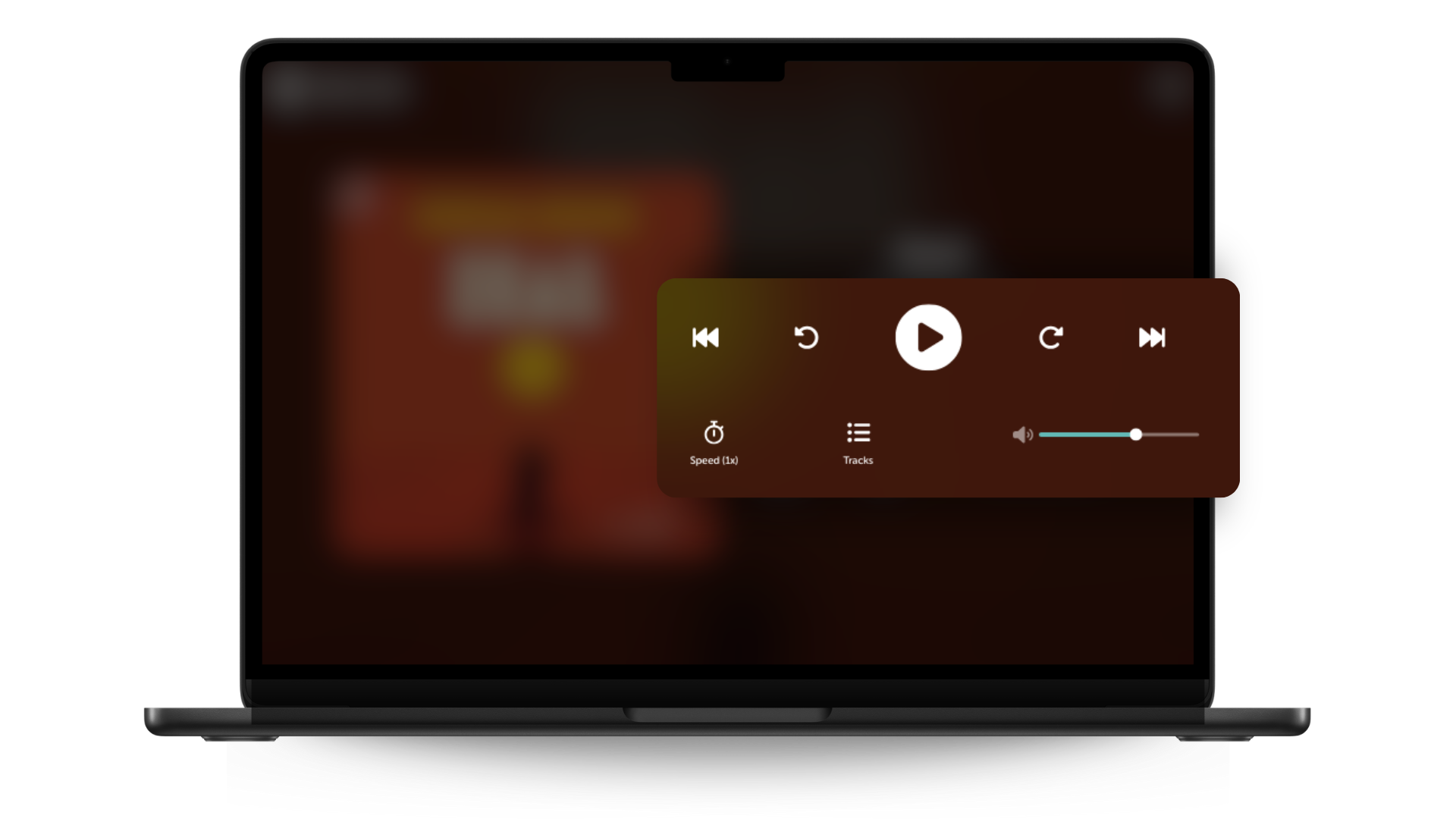
Web player features
The Libro.fm web player has a number of features, including listening speed, track list, various audiobook controls (previous track, skip back 15 seconds, play/pause, skip forward 15 seconds, next track), and more.
For the best listening experience, including sleep timers, bookmarks, and more, use the web player in tandem with our iOS and Android apps.
With more ways than ever to listen, our TBRs are about to get both longer, but also somehow more manageable at the same time?
As always, no matter how you choose to read audiobooks with Libro.fm, every purchase supports the independent bookshop of your choice. Let us know which audiobook you’ll be listening to first on the web player!